
One Number to Unite Them All – Google Voice

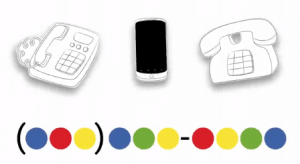 As someone who has needed to have multiple phones at one point or another (work phone & personal phone, then a different work phone), I find Google Voice to be an invaluable service. Google Voice allows you to have one number and use it for all your phones. This has enabled me to simplify and customize the way I use my phone(s). Plus, it also gives me full control of my number with the ability to block numbers and even automatically screen out telemarketers via the spam filter.
While you can port your existing phone number to Google Voice, that can be a little tricky. The best way to use the service is to get a new number from Google Voice and then give that out as your only phone number. The transition can take a little work, but the payoff is that you can always get your calls or texts no matter what phone you are using. Google Voice will let you choose which phones ring, based on who’s calling, and even let you decide how calls are answered. Voicemail is centralized and are accessible like email in your Google Voice account (similar to visual voicemail if you are familiar with how the iPhone handles those). Plus, you can opt to have a transcription of the voicemail sent via text. While not perfect, it is enough to give you an idea of the message and decide how urgently you need to listen to it.
To place calls using my Google Voice number, I simply use the Google Voice app on my iPhone instead of the regular Phone app. That way the caller ID is my Google Voice number and not my mobile phone number.

Google Voice is a free service and has area codes available for nearly every area of the U.S. The availability of specific area codes does vary, so if they don’t have the one you want, be sure to check back.
[lyte id=”1KSoxdtyc58″ /]